
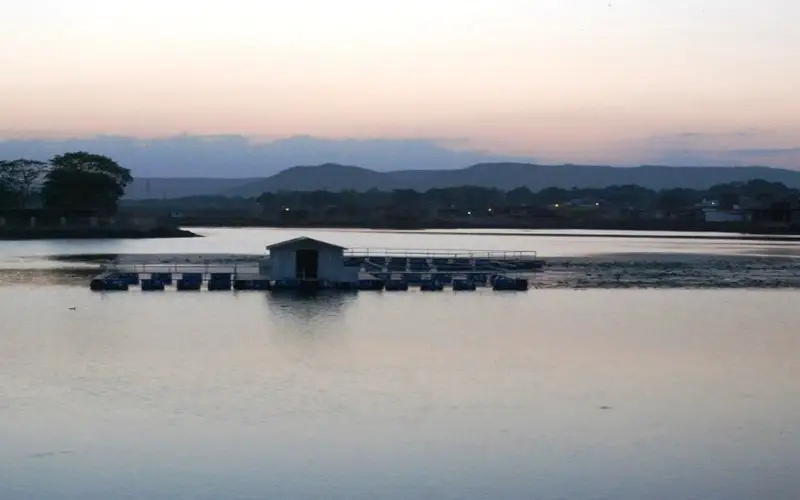
स्वागत है · लोहरदगा जिला Apna Lohardaga · Jharkhand
Lohardaga: ಎಲ್ಲವೂ ಒಂದೇ ಕಡೆ
🎤 ಮೈಕ್ ಒತ್ತಿ, ನಿಮಗೆ ಏನು ಬೇಕು ಹೇಳಿ Tap the mic and say what you need
ಸೇವೆಗಳು Services
ಎಲ್ಲಾ › ಕಲ್ಯಾಣ ಮಂಟಪHalls
 ವೈದ್ಯರುDoctors
 ರಿಪೇರಿRepairs
 ಊಟFood
 ಕೃಷಿFarming
 ಶಿಕ್ಷಣEducation
 ಅಂಗಡಿಗಳುShops
 ಸಾರಿಗೆTransport
ಇಂದು Today
ಇನ್ನಷ್ಟು ›ತ್ವರಿತ ಸಹಾಯ Quick help
ಇಂದು · Lohardaga
⚠️ Report✅ ಇನ್ನೂ ಏನೂ ಇಲ್ಲ.
ಇನ್ನಷ್ಟು ಸೇವೆಗಳು · More Services
ಪ್ರತಿ ಅಂಗಡಿ, ಸೇವೆ ಮತ್ತು ಕಚೇರಿ — ಕರೆ, ವಾಟ್ಸಾಪ್ ಮತ್ತು ನಕ್ಷೆಯೊಂದಿಗೆ.
 ದಿನಸಿ, ದಿನನಿತ್ಯ ಅಗತ್ಯDaily needs
 ಕಟ್ಟಡ ನಿರ್ಮಾಣ, ಸಾಮಗ್ರಿConstruction & materials
 ವಾಹನಗಳು ಮತ್ತು ಗ್ಯಾರೇಜ್Vehicles & garages
 ರಿಯಲ್ ಎಸ್ಟೇಟ್ ಮತ್ತು ಬಾಡಿಗೆReal estate & rentals
 ಮದುವೆ ಮತ್ತು ಸಮಾರಂಭWeddings & events
 ಸೌಂದರ್ಯ ಮತ್ತು ಫಿಟ್ನೆಸ್Beauty & fitness
 ಹೋಟೆಲ್ ಮತ್ತು ವಸತಿHotels & stays
 ಸ್ಥಳೀಯ ಉತ್ಪನ್ನಗಳುMade in Bidar
 ವೃತ್ತಿಪರರು ಮತ್ತು ಹಣಕಾಸುProfessionals & finance
 ನಾಗರಿಕ ಸೇವೆಗಳುCitizen services
 ಪ್ರಾರ್ಥನಾ ಸ್ಥಳ, ಸಮುದಾಯWorship & community
 Ask Lohardaga
 Your next opportunity
 ಉದ್ಯೋಗಗಳುJobs
Apna Lohardaga · लोहरदगा जिला
Lohardaga ಹೆಸರುವಾಸಿ
The pride of Lohardaga, Jharkhand.
ಇಂದಿನ ಹೊಸ ಮಾಹಿತಿ
ಇನ್ನೂ ಏನೂ ಇಲ್ಲ. Post the first one.
Lohardaga ನೋಡಿ
Plan a trip →Lohardaga district is one of the twenty-four districts of the Indian state of Jharkhand. The district is named after the town of Lohardaga, the administrative headquarters of the district. The district was created from a portion of Ranchi district in 1983.
10 ನಿಮಿಷದಲ್ಲಿ ನಿಮ್ಮ ವ್ಯಾಪಾರವನ್ನು ಆನ್ಲೈನ್ಗೆ ತನ್ನಿ
Just tell us your business name and type — your site is ready instantly. Add photos from your phone. No technical knowledge needed.
- Your own site: name-lohardaga.mydistrict.in
- Bookings, menus or appointments
- WhatsApp, call and map buttons
- UPI payment details & QR poster
- Listed in the MyDistrict app
- Visitor and enquiry reports
ನಿಮ್ಮ ಜಿಲ್ಲೆ ನಿಮ್ಮ ಜೇಬಿನಲ್ಲಿ
Add MyDistrict to your home screen — it works like an app, even on slow networks. Business owners manage their site, bookings and enquiries from the same app.